 MarineOps
 Phone App Manual › Customers & Parts
Customers & boats
Look up a customer, call or text, add a boat.
Included in: Every plan
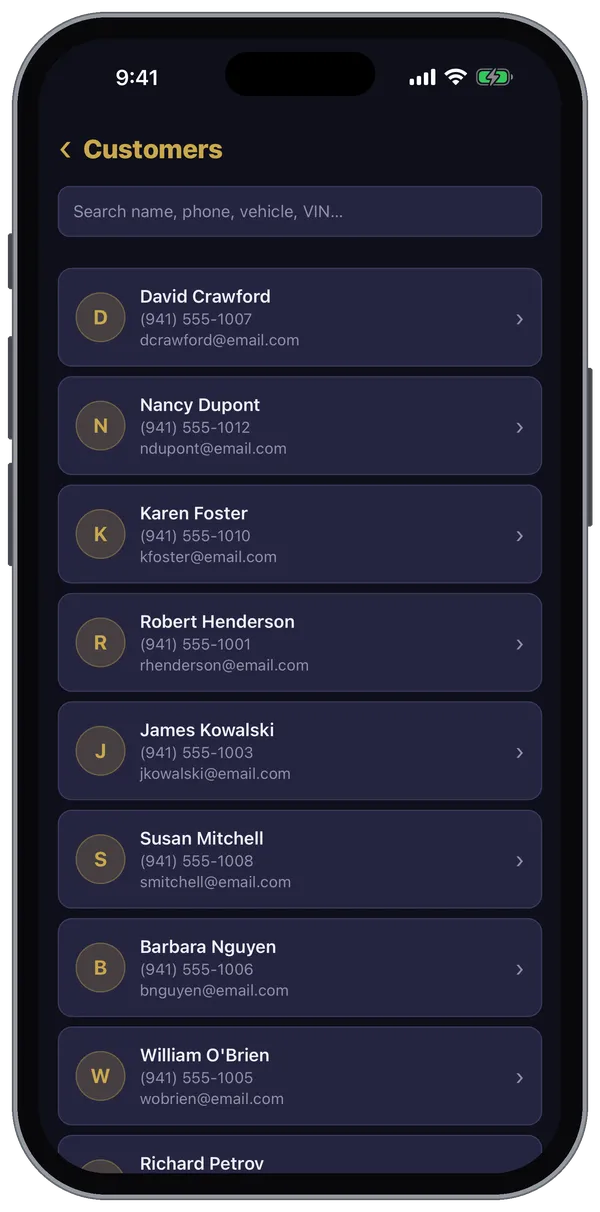
More → Customers is your customer list, with every boat and every repair order behind it.
Find a customer
Search by name, phone number, boat or HIN.
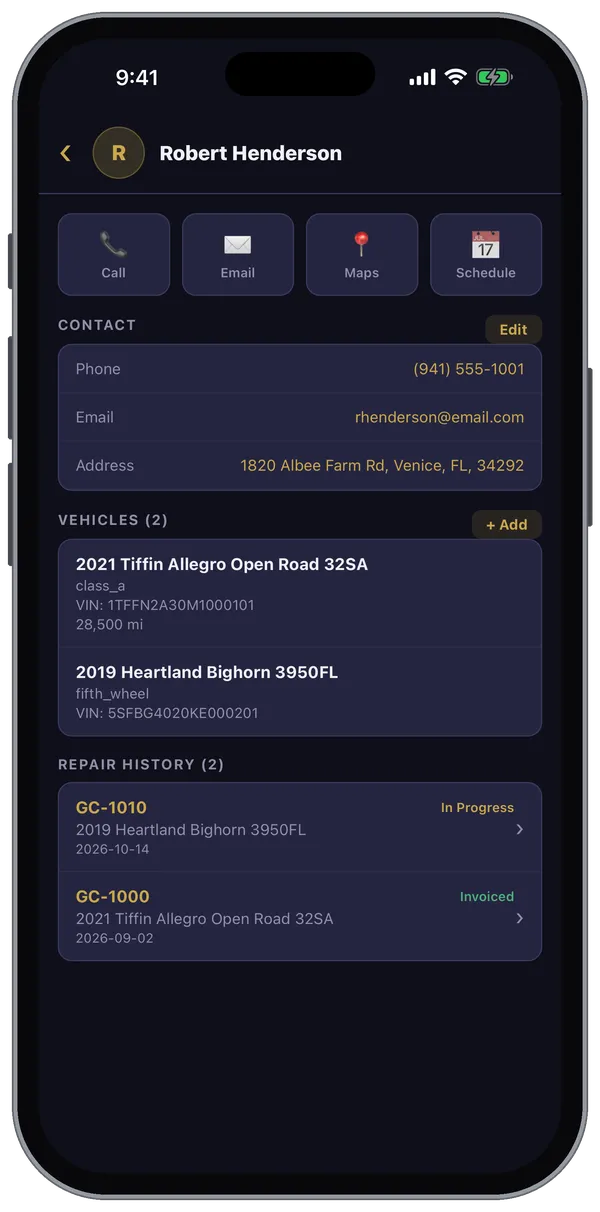
On a customer's record
- Call, Email, Maps (directions to their address) and Schedule (book an appointment) across the top.
- Contact — phone, email and address. Tap Edit to change them.
- Vehicles — each boat with its HIN and engine hours. Tap + Add to add one: year, make, model, HIN (scan it), plate and boat type, plus where it's parked — a boat park or campground and the site number — for road calls.
- Repair History — every RO for this customer; tap one to open it.
Still stuck? Send us a message (or email [email protected]) and tell us what you were trying to do — we answer within one business day.