 MarineOps
 Phone App Manual › Invoices & Payments
Invoices
Find an invoice and see what's owed.
Included in: Every plan
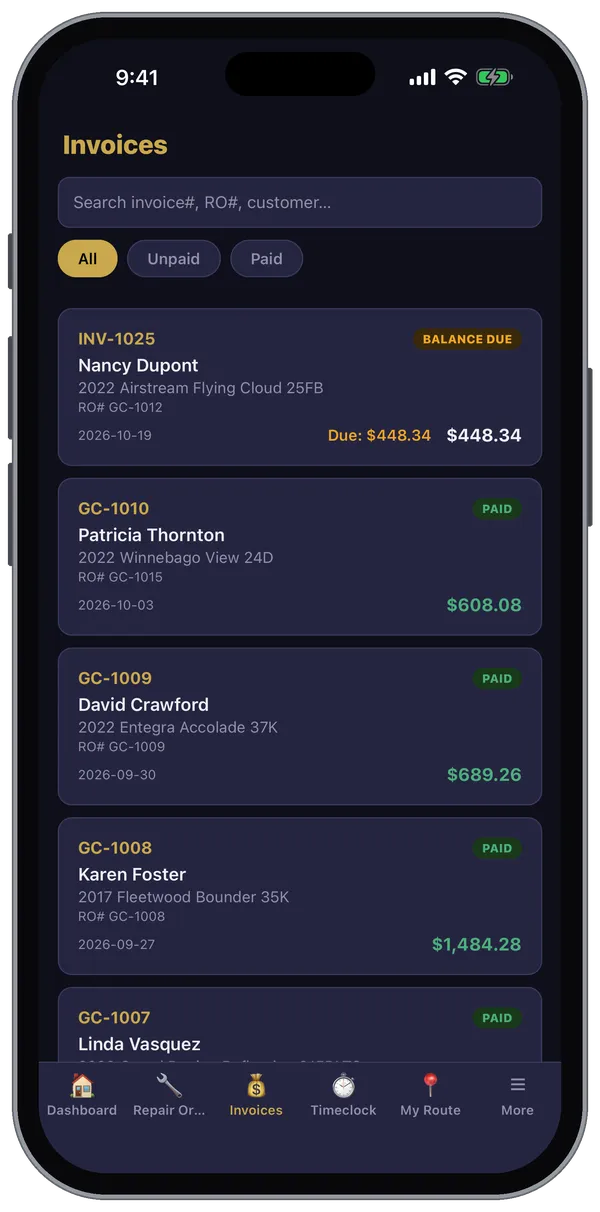
The Invoices tab lists your shop's invoices, newest first. You'll only see it if your login allows invoices.
Find an invoice
- Search by invoice number, RO number or customer.
- Filter with All, Unpaid or Paid. Unpaid invoices show BALANCE DUE and how much is left.
On an invoice
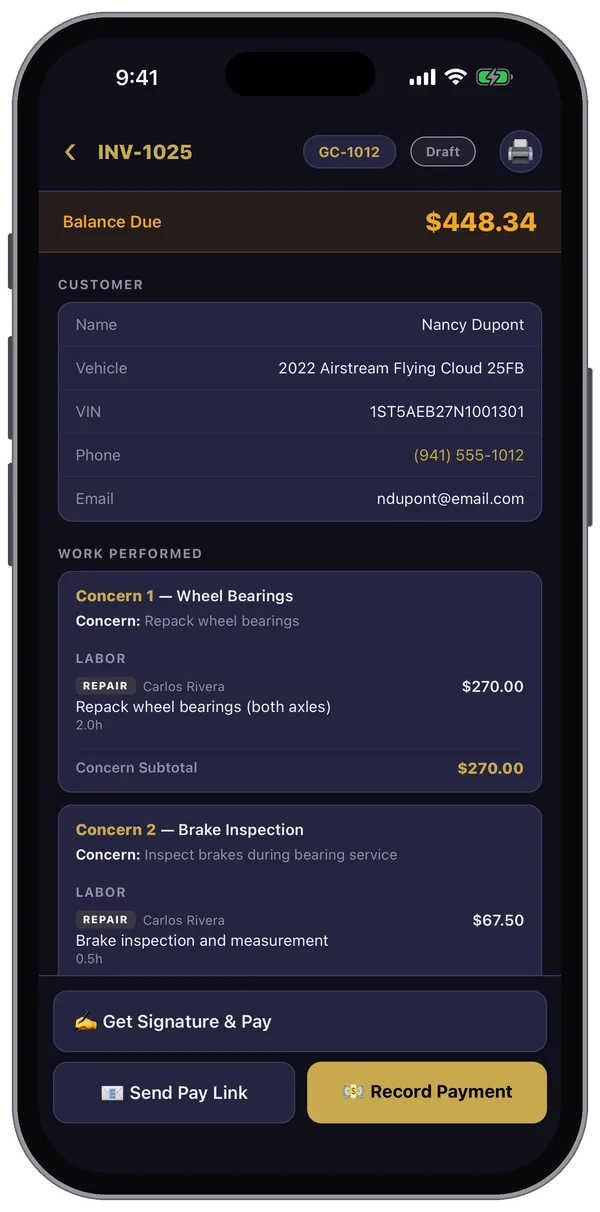
- The Balance Due across the top.
- The customer and boat — tap the phone number to call.
- Work Performed: each concern with its labor and parts, then the totals.
- Payment History once payments are recorded.
- The printer button at the top right prints the invoice.
The buttons at the bottom take payment — see Taking Payment. Once it's paid, 📧 Send Receipt emails the customer a receipt.
Invoices are created from a repair order: tap + Invoice at the top of the RO.
Still stuck? Send us a message (or email [email protected]) and tell us what you were trying to do — we answer within one business day.