 MarineOps
 Phone App Manual › Repair Orders
Moving a Job Along
The colored buttons at the top of an RO and what each one does.
Included in: Every plan
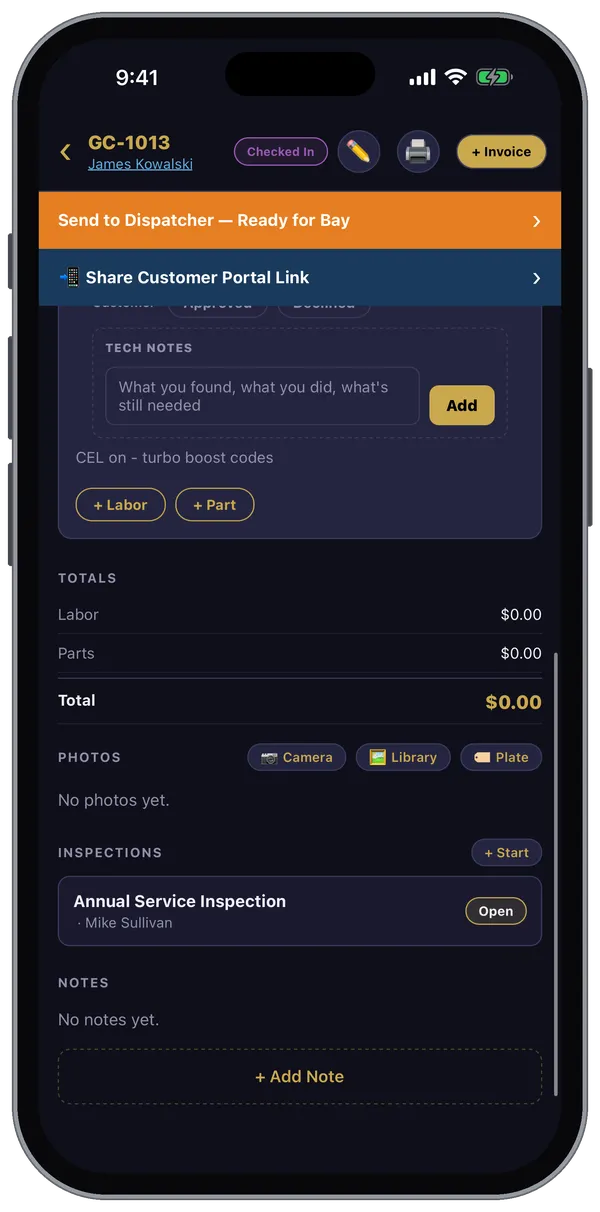
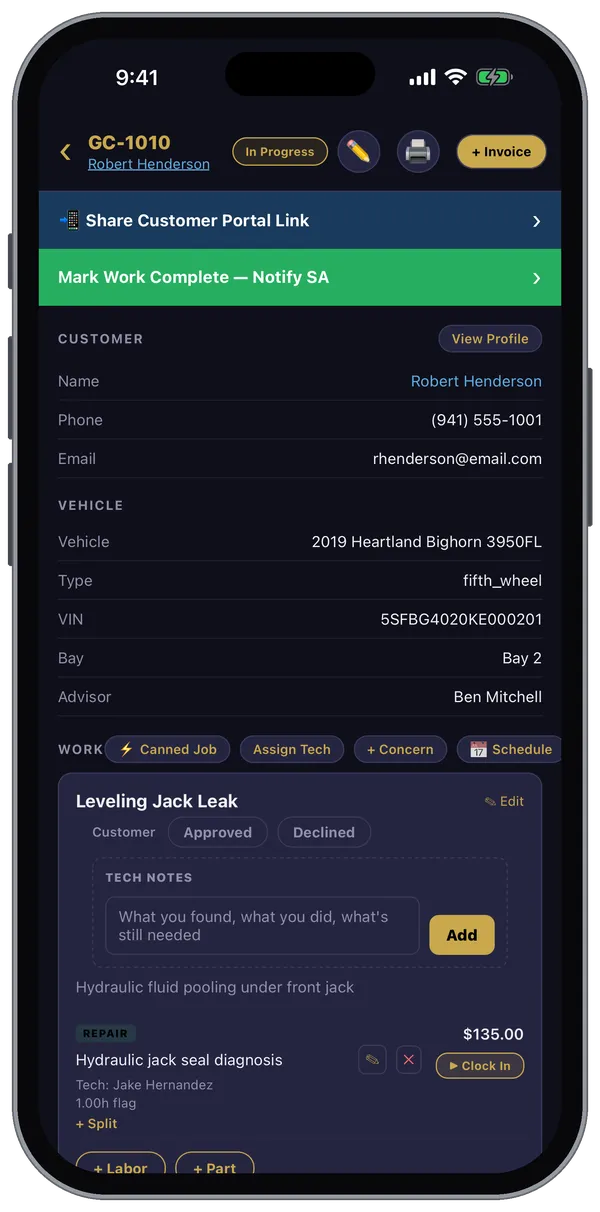
At the top of a repair order, a colored button shows the next step for the job. Tapping it moves the RO along and tells the right people — no phone calls across the shop.
The buttons, in order
| You'll see | When | What it does |
|---|---|---|
| 📋 Tap to Check In | The RO is scheduled but the boat isn't here yet | Starts the check-in for this RO |
| Send to Dispatcher — Ready for Bay | The boat is checked in (writers and managers) | Tells the dispatcher the coach is ready for a tech |
| 🚐 Road Call — Tap to Begin Diagnostic | A road-call tech is on site | Moves the job to In Bay (Diagnostic) |
| Submit Diagnostic — Notify SA & Parts | The tech has finished diagnosing | Tells the service advisor and parts department what's needed |
| Send Estimate to Customer | The RO is an estimate (writers and managers) | Sends the estimate for the customer to approve from their phone |
| ✅ Estimate Approved by Customer | The customer said yes | Shows the job is approved |
| Parts In — Ready for Bay (Visit 2) | Parts that were on order have arrived | Puts the boat back in line for a tech |
| Mark Work Complete — Notify SA | The job is in progress | Tells the service advisor everything's done and ready for review |
| Notify Customer — Ready for Pickup | The work is complete (writers and managers) | Lets the customer know their boat is ready |
Each one asks you to confirm first.
Share the customer portal
📲 Share Customer Portal Link opens your phone's share sheet so you can text or email the customer their portal link — they can follow the job, see photos and approve work.
No signal?
If you tap one of these where there's no service, the app saves it and sends it as soon as you're back online. You'll see Queued — saved offline.
Still stuck? Send us a message (or email [email protected]) and tell us what you were trying to do — we answer within one business day.