 MarineOps
 Help Center › Repair Orders
Creating a Repair Order
Start an RO for a customer and their boat.
Included in: Every plan
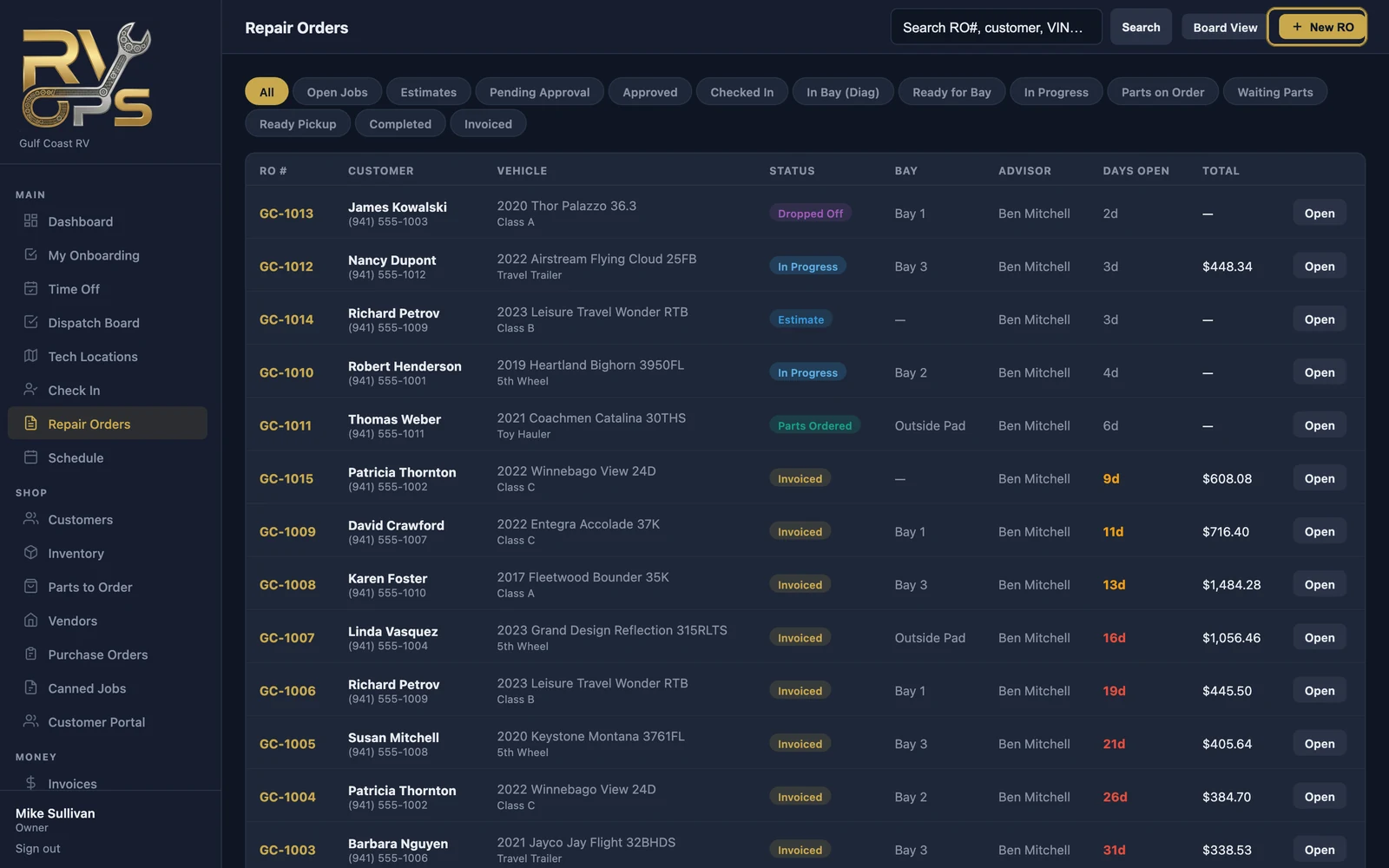
A repair order (RO) is the home for one boat's visit: who it belongs to, what's wrong, the labor and parts to fix it, the photos, notes, approvals and finally the invoice. Every RO gets its own number, like GC-1042.
Start a new RO
- Click + New RO at the top of the dashboard, or open Repair Orders in the left menu and click New RO.
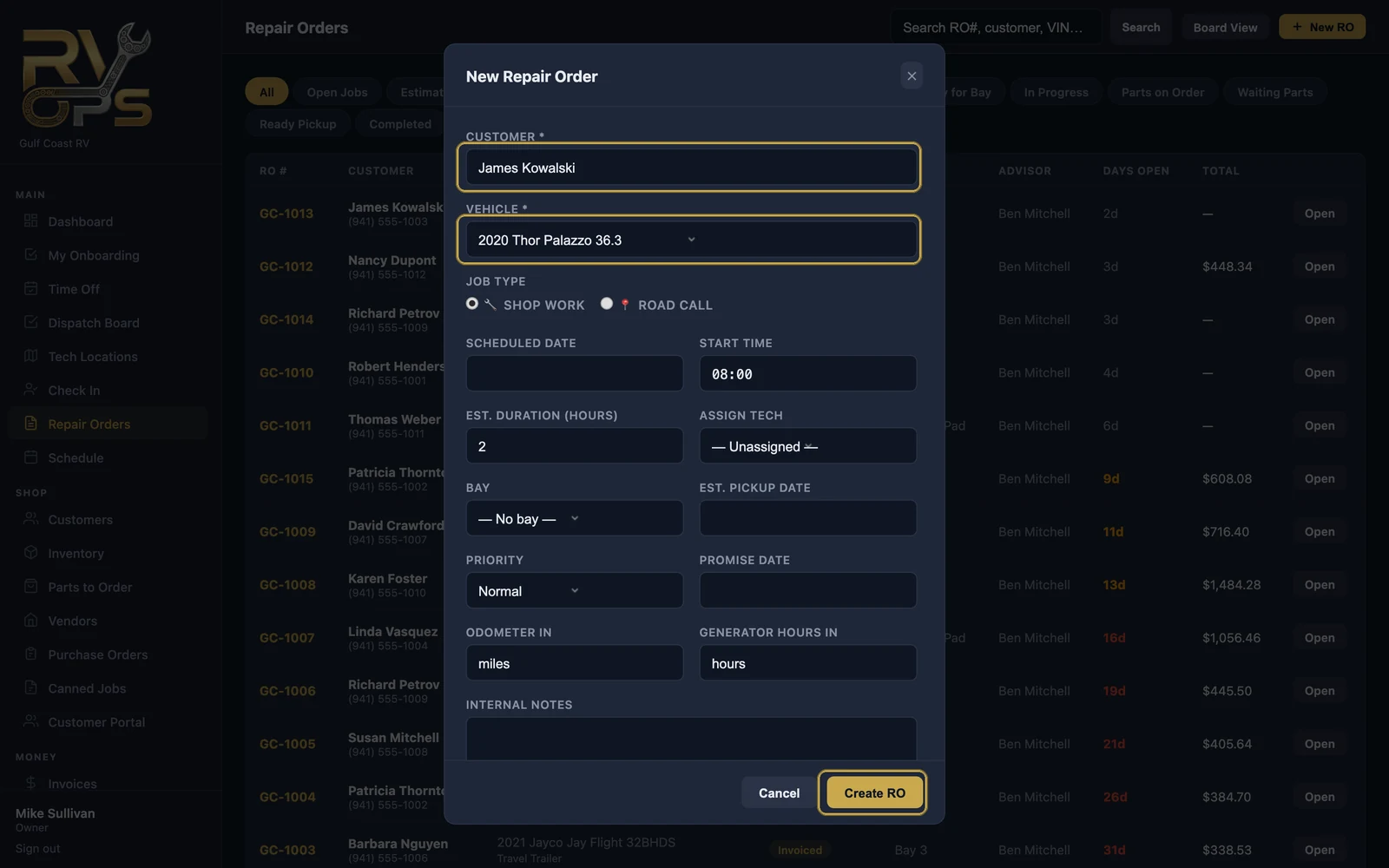
- In Customer, start typing a name, phone number or email, then click the right customer in the list.
- Pick their boat from the list. A new boat? Choose + Add New Vehicle.
- Choose Shop Work (the boat comes to you) or Road Call (you go to the boat).
- Fill in what you know — none of it is required yet:
- Scheduled date, start time and estimated hours put the job on the schedule.
- Assign tech and bay.
- Promise date and estimated pickup date — what you've told the customer.
- Engine Hours in and generator hours in.
- Internal notes — for your team only, never shown to the customer.
- Click Create RO. The new repair order opens.
New customer? Add them from Customers → + Add Customer first, or use Check In, which creates the customer, the boat and the RO in one pass while the customer is standing at the counter.
A tour of the repair order
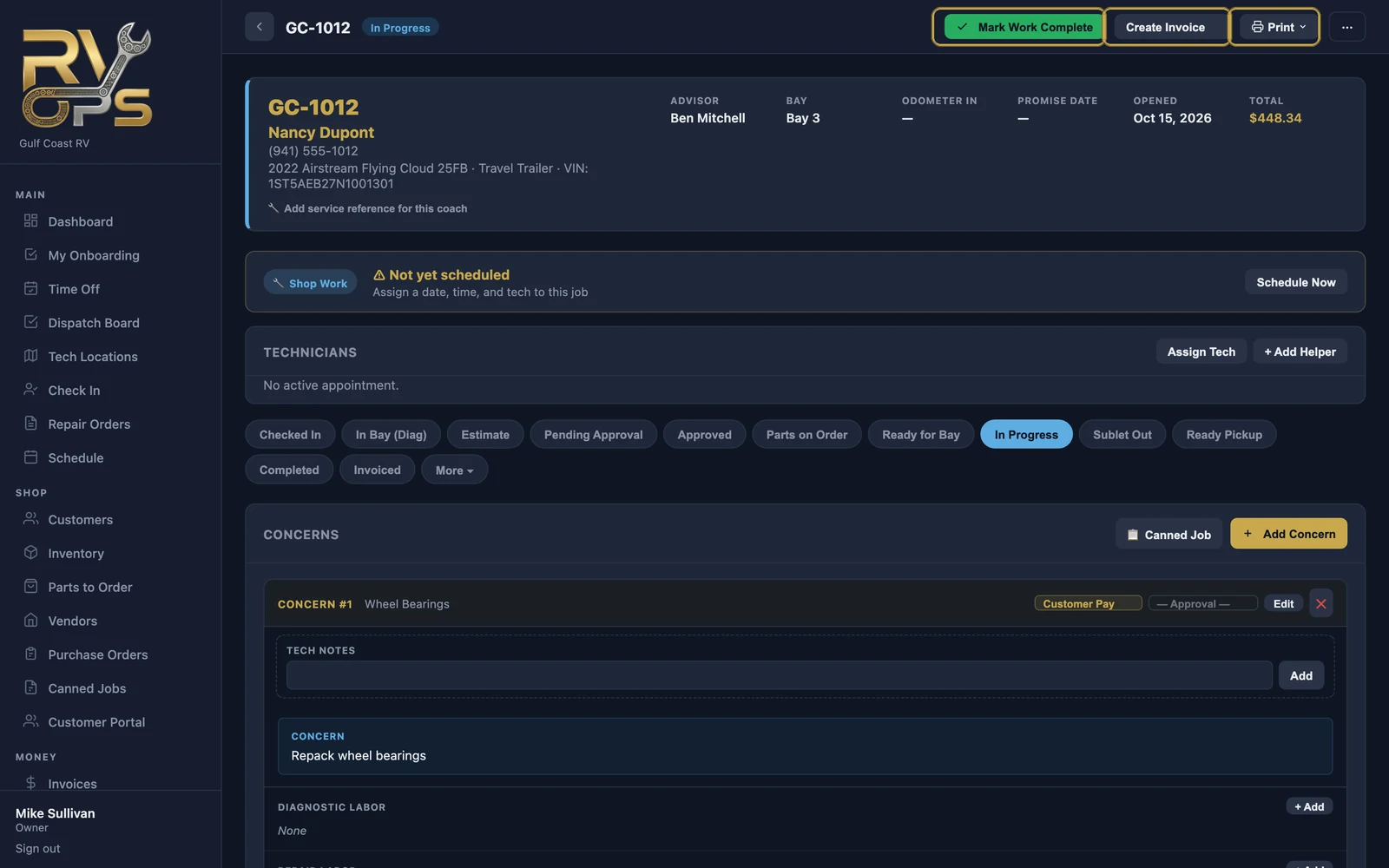
- Mark Work Complete — the tech is done; MarineOps lets the service advisor know the boat is ready for review.
- Create Invoice — bill the work (see Invoicing a Repair Order).
- Print — estimate, work order, key tag, window sticker or filter label.
- ⋯ — less common actions, like deleting the RO.
Below that you'll find, in order: the schedule and assigned techs, the status bar, the concerns with their labor and parts, the totals, sublet work, photos and notes, inspections and customer messages.
Finding an RO later
- Repair Orders — search by RO number, customer, phone or boat, or click a status filter (Estimates, In Progress, Waiting Parts, Ready Pickup…).
- The customer's page — every RO they've ever had.
- Board View — every open RO as a card in a status column (see The Dispatch Board).
Still stuck? Send us a message (or email [email protected]) and tell us what you were trying to do — we answer within one business day.