 MarineOps
 Help Center › Check-In, Estimates & Approvals
Customer Approvals
Line-by-line approvals and what happens to declined work.
Included in: Every plan
On this pageWhat the customer seesWhat happens in MarineOpsApproval by phone or in personDeclined work
Customers approve estimates job by job from the link in their estimate email — no app, no password. They can say yes to the brakes and no to the awning, and MarineOps updates the repair order the moment they submit.
What the customer sees
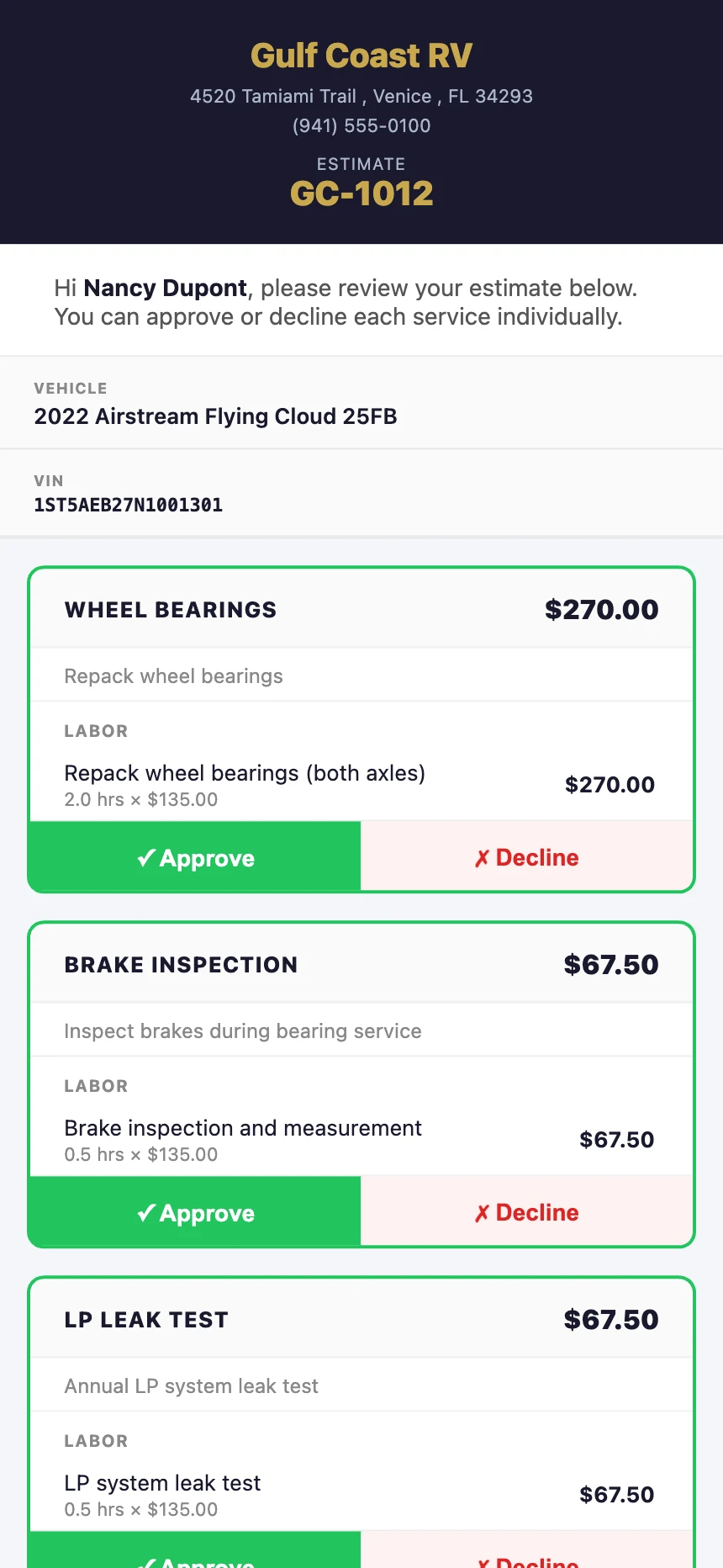
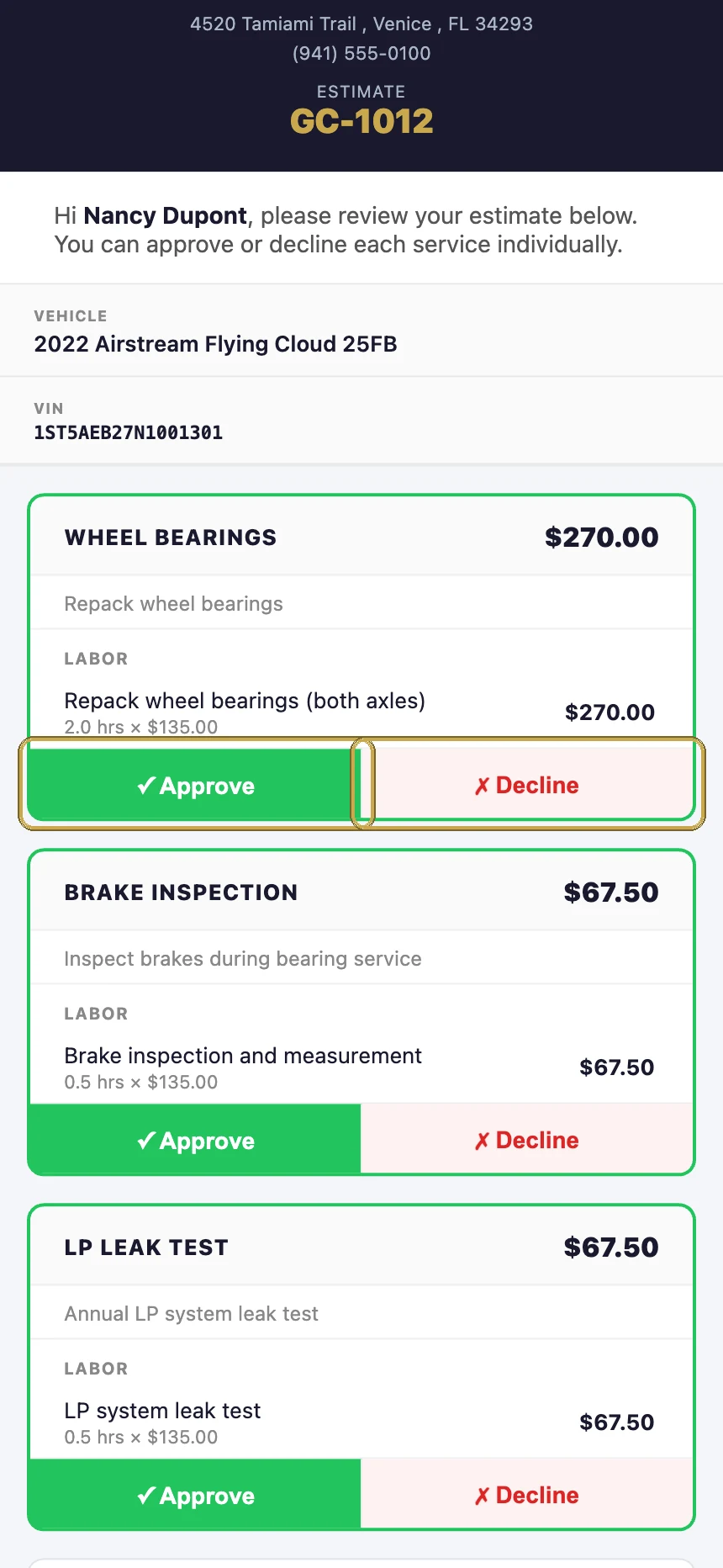
- They open the link in the estimate email.
- They tap ✓ Approve or ✗ Decline on each job.
- They tap Submit My Response.
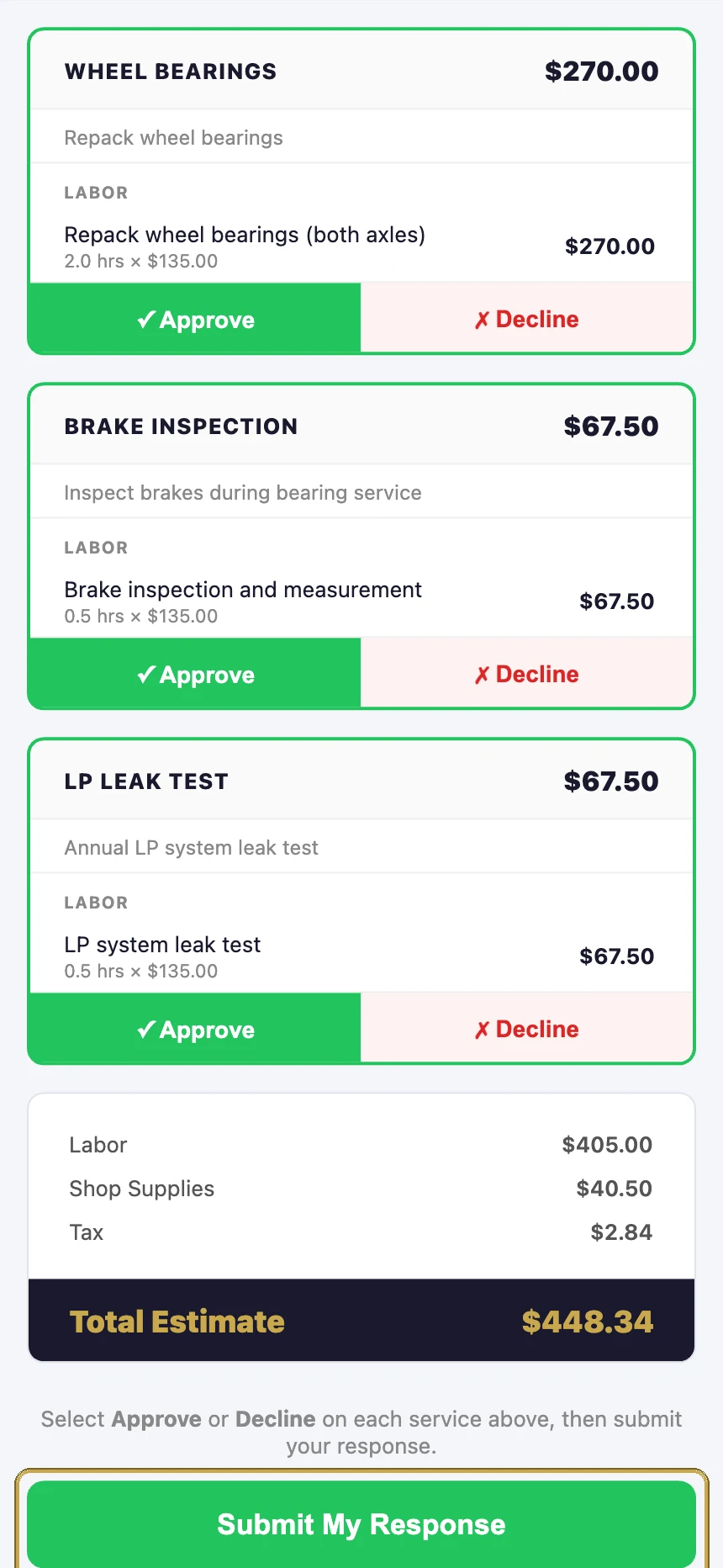
What happens in MarineOps
- Each job's approval shows on its concern card — approved or declined.
- If they approved everything, the RO moves to Approved. If they approved some and declined others, it's a partial approval — the approved jobs are ready to go.
- If they declined everything, the RO moves to Declined.
- The service advisor and managers get a notification.
Approval by phone or in person
When a customer says yes over the phone, set it yourself: on each concern, change the Approval picker (next to Edit) to approved or declined. It's a good habit to add a tech note like "approved by phone with Nancy, 10/15 2:40pm".
Declined work
Declined jobs stay on the RO, marked declined, so you have a record of what you recommended. They aren't billed when you create the invoice. Recommending the same work next visit? Their service history shows what they declined last time.
Still stuck? Send us a message (or email [email protected]) and tell us what you were trying to do — we answer within one business day.