 MarineOps
 Help Center › Repair Orders
RO Statuses & the Work Flow
From dropped off to ready for pickup.
Included in: Every plan
On this pageChange the statusWhat each status meansStatuses that happen on their ownReady for pickup emails
Every repair order has a status that tells the whole shop where the boat is in the process. The status shows on the RO list, the dashboard, the dispatch board, the tech app and the customer's portal.
Change the status
Click any status in the status bar on the RO. The current one is highlighted. Less common statuses are under More ▾.
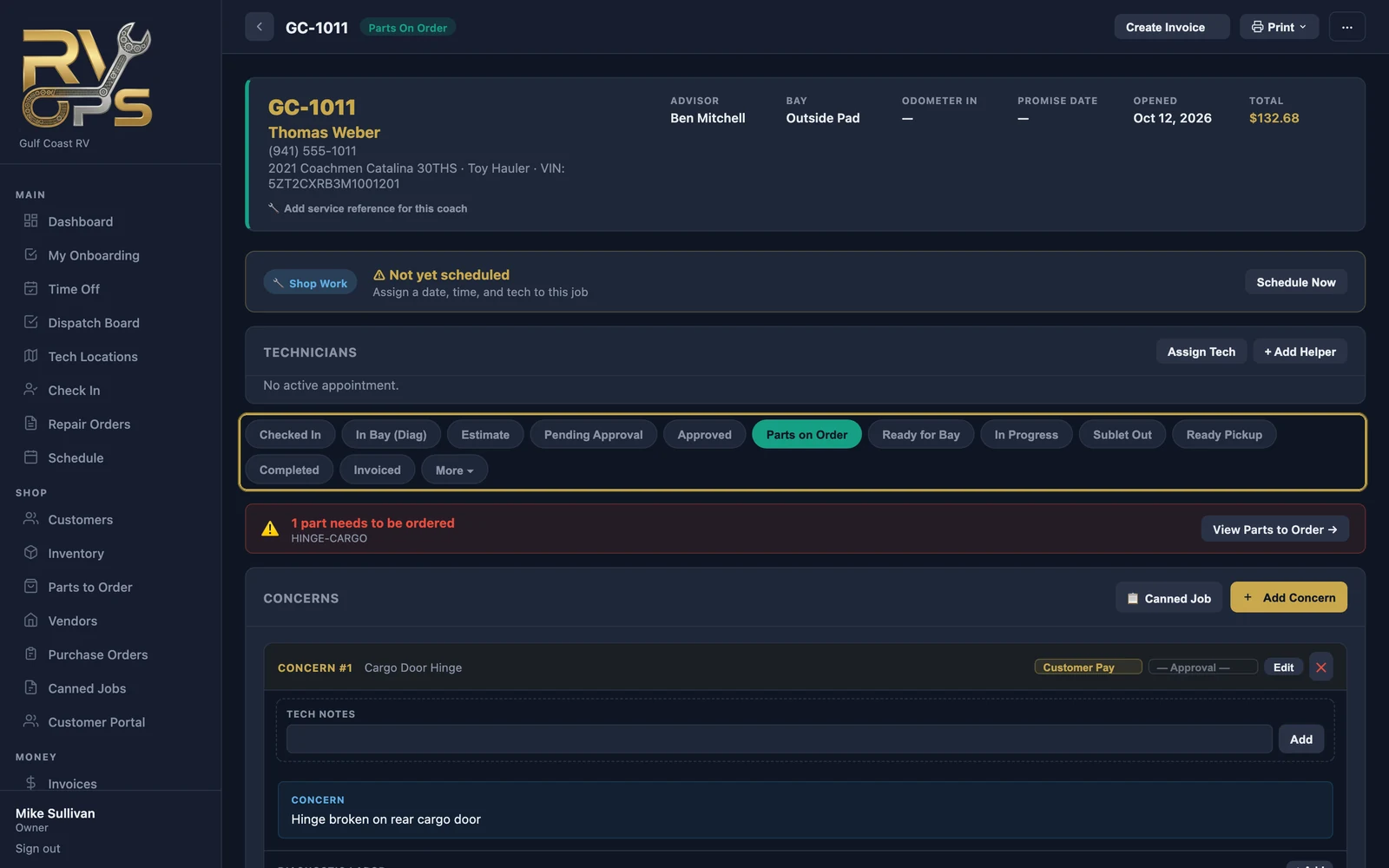
What each status means
| Status | Use it when |
|---|---|
| Checked In | The boat is on your lot and the keys are in the box |
| In Bay (Diag) | A tech is diagnosing it |
| Estimate | You're writing up the work and prices |
| Pending Approval | The estimate is with the customer |
| Approved | The customer said yes |
| Parts on Order | Waiting on parts before work can start or finish |
| Ready for Bay | Approved, parts in, waiting for an open bay or tech |
| In Progress | A tech is working on it |
| Sublet Out | It's at another shop for sublet work |
| Ready Pickup | Done — waiting on the customer |
| Completed | Picked up and closed out |
| Invoiced | Billed (set automatically when you create the invoice) |
| Under More ▾: Warranty, PDI (pre-delivery inspection), Storage, Cancelled, Declined and Void. | |
Statuses that happen on their own
- When the customer approves an estimate in the portal, the RO moves to Approved.
- When parts are ordered or received on a purchase order, the RO follows along.
- When the tech taps Mark Work Complete, the service advisor is notified the boat is ready for review.
- Creating the invoice sets Invoiced.
Ready for pickup emails
If you turn on Auto-send ready for pickup notification under Settings → Notifications, the customer gets an email the moment you set an RO to Ready Pickup.
Still stuck? Send us a message (or email [email protected]) and tell us what you were trying to do — we answer within one business day.