 MarineOps
 Help Center › Money & Reports
P&L, Balance Sheet & CPA Reports
Your books in MarineOps and what to hand your accountant.
Included in: Pro plan and up
On the Pro plan and up, MarineOps keeps real books behind the scenes. Every paid invoice, payment, part cost and expense is recorded to a ledger automatically, so you can pull a profit and loss statement, balance sheet or tax summary any time — no data entry.
Profit & Loss
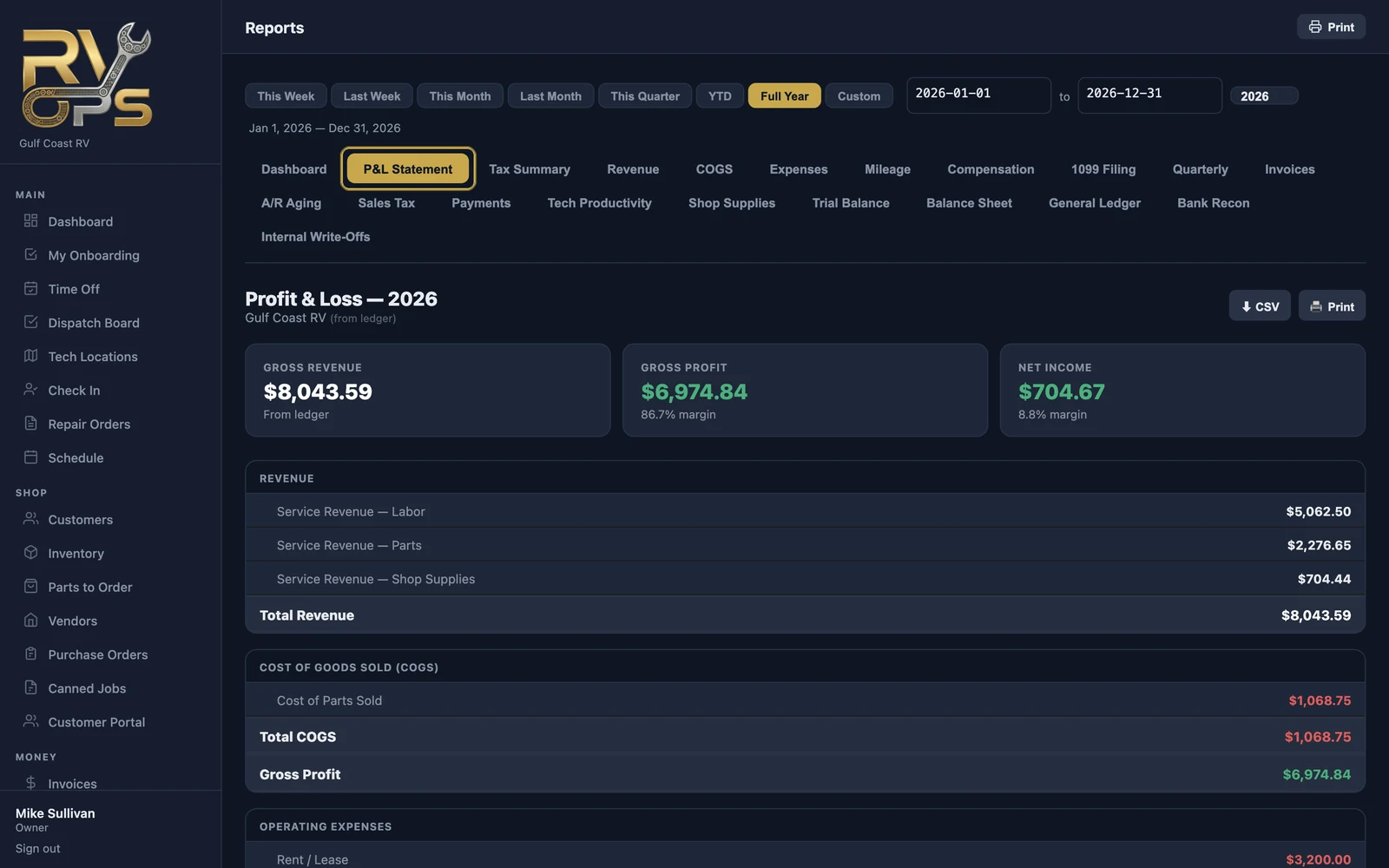
Open Reports → P&L Statement and pick the date range. You'll see:
- Revenue — labor, parts and shop supplies
- Cost of goods sold — what the parts you sold cost you
- Gross profit
- Operating expenses by category — rent, wages, insurance and so on (from Expenses)
- Net income
For your accountant
| Report | Use it for |
|---|---|
| Tax Summary | Year-end numbers laid out for your tax return |
| Quarterly | Quarterly estimated taxes |
| 1099 Filing | What you paid each contractor, for 1099s |
| Trial Balance | Every account's balance — your accountant's starting point |
| Balance Sheet | What the business owns and owes on a date |
| General Ledger | Every transaction, account by account |
Give your bookkeeper their own login with the CPA / Accountant role (Adding Staff). They see invoices and financial reports without being able to change repair orders.
Already use QuickBooks?
You can keep using it — MarineOps sends your invoices there (see QuickBooks Online). Many shops keep QuickBooks for payroll and taxes while running everything else in MarineOps.
Still stuck? Send us a message (or email [email protected]) and tell us what you were trying to do — we answer within one business day.